Create word cards
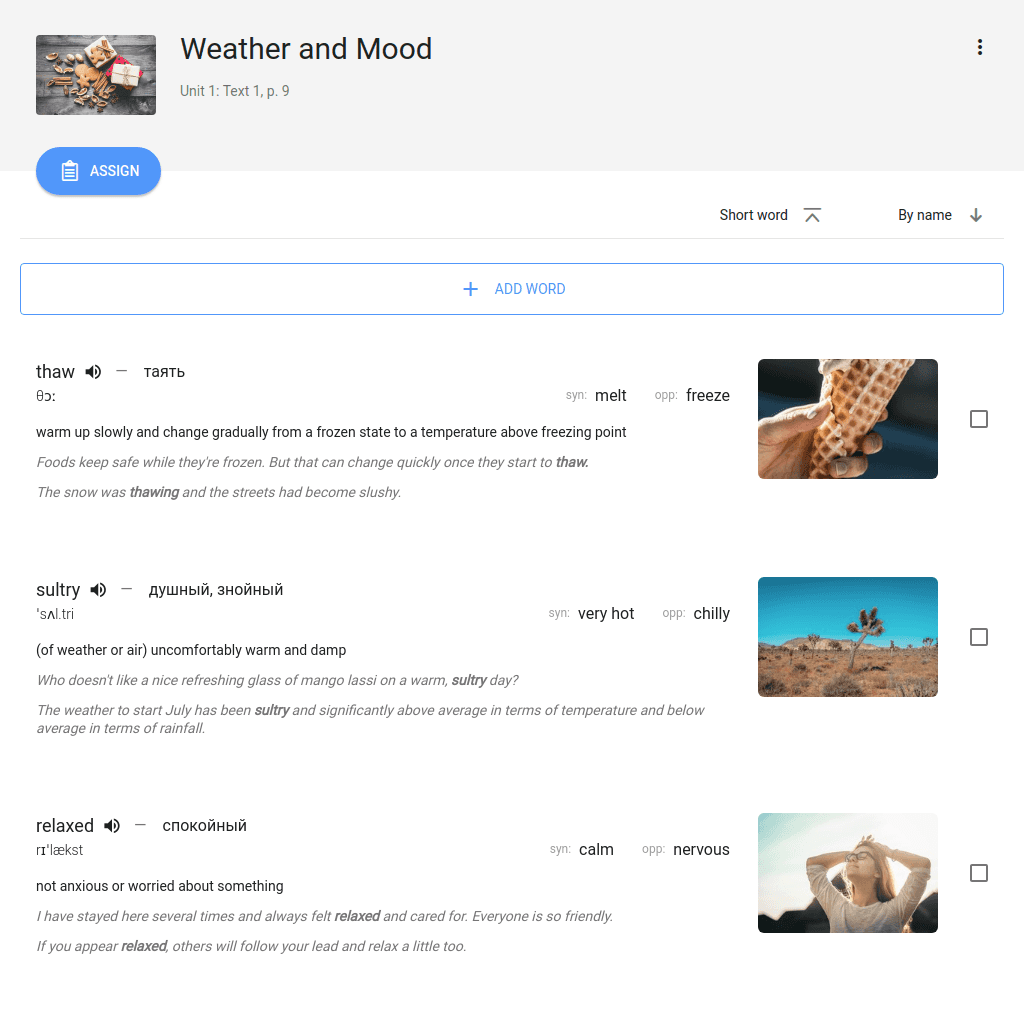
Use our vocabulary card template to form your own word cards. Organise your cards into sets and folders.
Practise
Do anagrams, fillwords, dictations, matching exercises and multiple choice tests to learn the words from your cards.
For teachers
Create tasks
Use our task builder to form exercises and schedule the learning process. Assign tasks to individual students or entire groups.
For teachers
Track your students progress
View the results for individual students and whole groups to identify the words to focus on.

Fill in your word cards
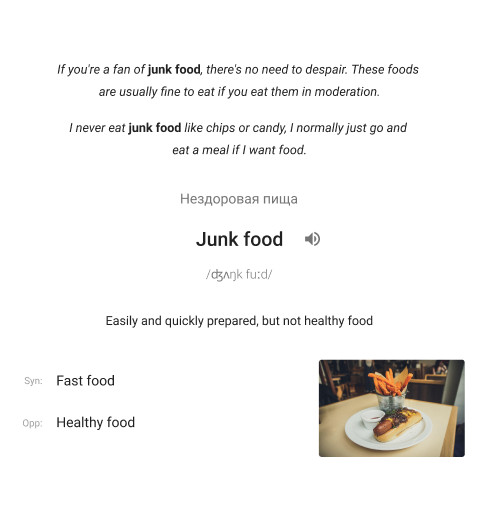
Example sentences
enter your own examples
Pronunciation
use our built-in voices or
make your own voice recordings
Definition
enter definitions
Image
upload your images
Translation
enter your translations
Word
enter words or
word combinations
Synonym and Antonym
add words with similar and opposite meanings
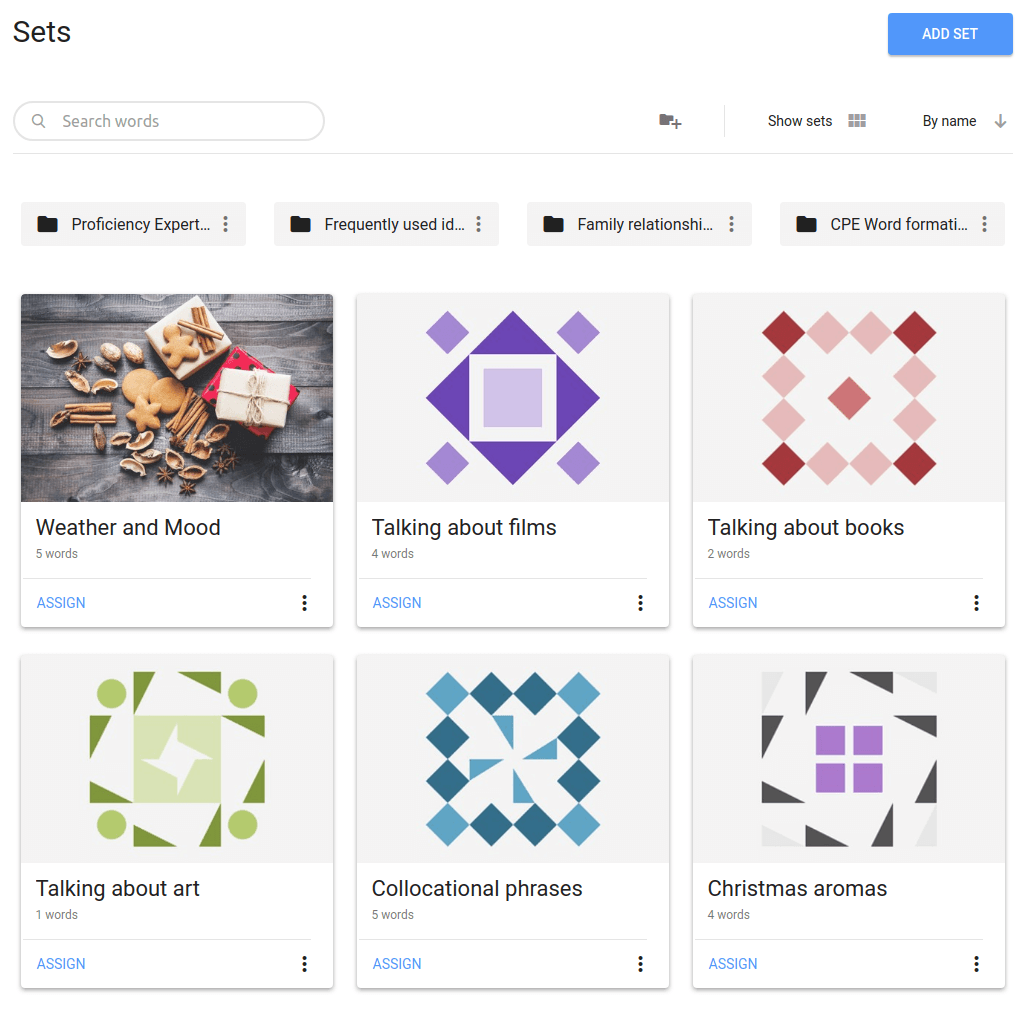
Create sets
Create sets, add them to folders. Keep your wordlists neat and organized.
Practise
WordsTool offers 5 exercise types. All the exercises focus on practising words through
the elements you have in your cards.
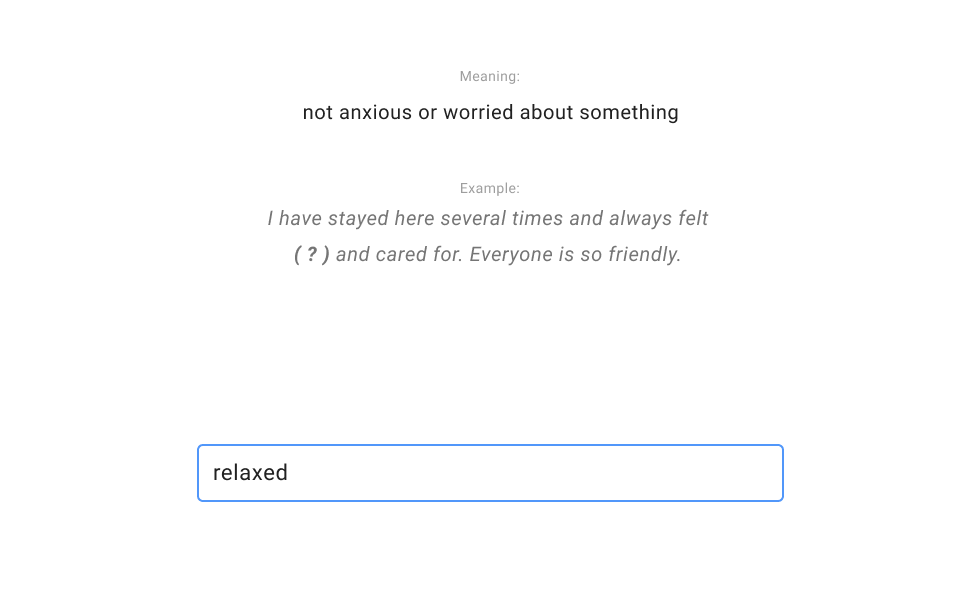
Dictation
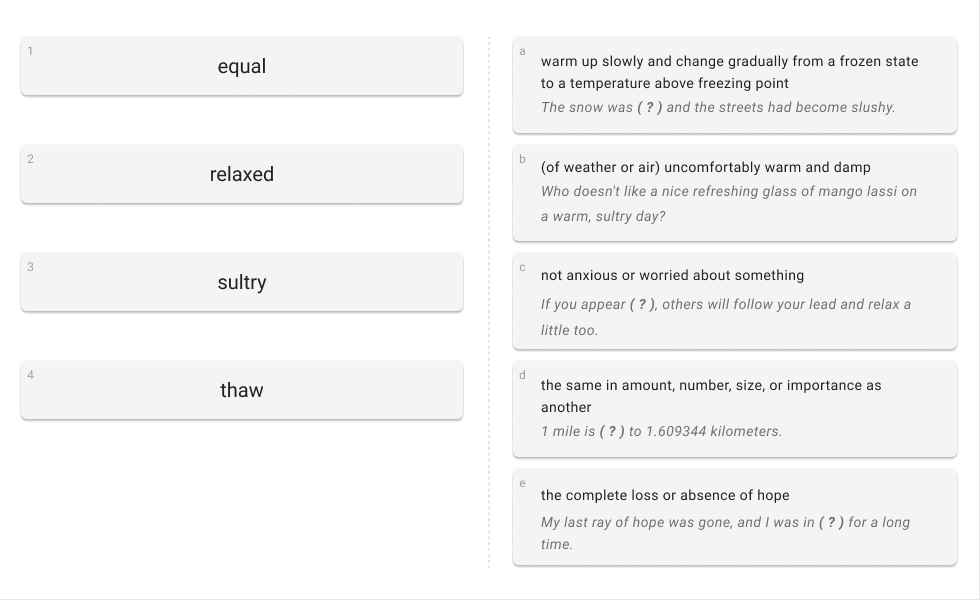
Matching
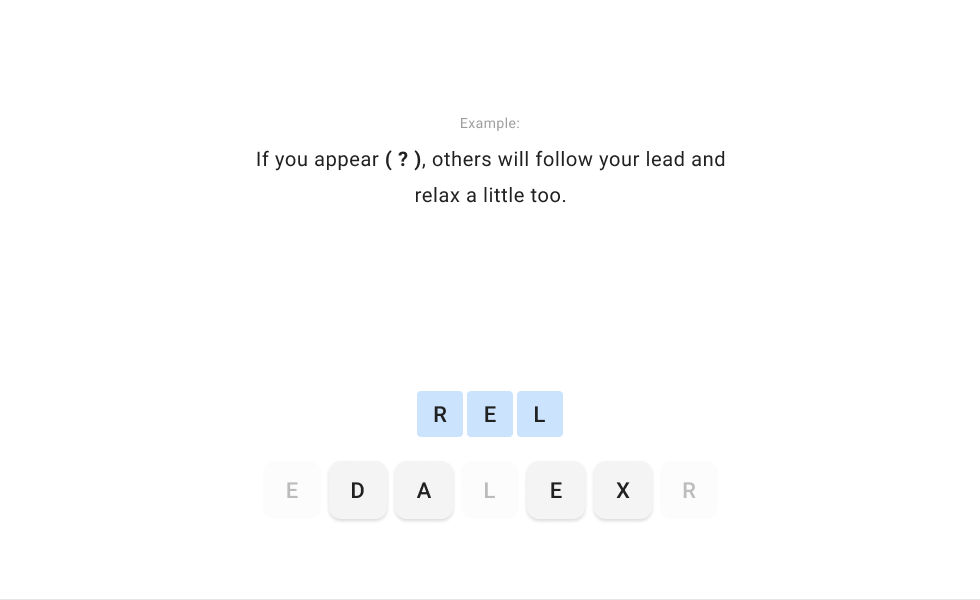
Anagram
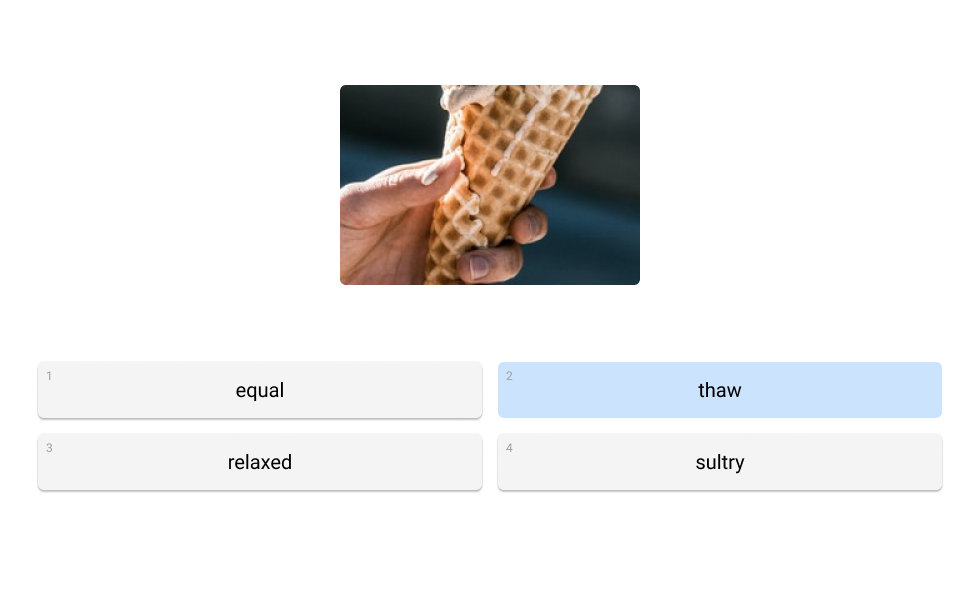
MCQ
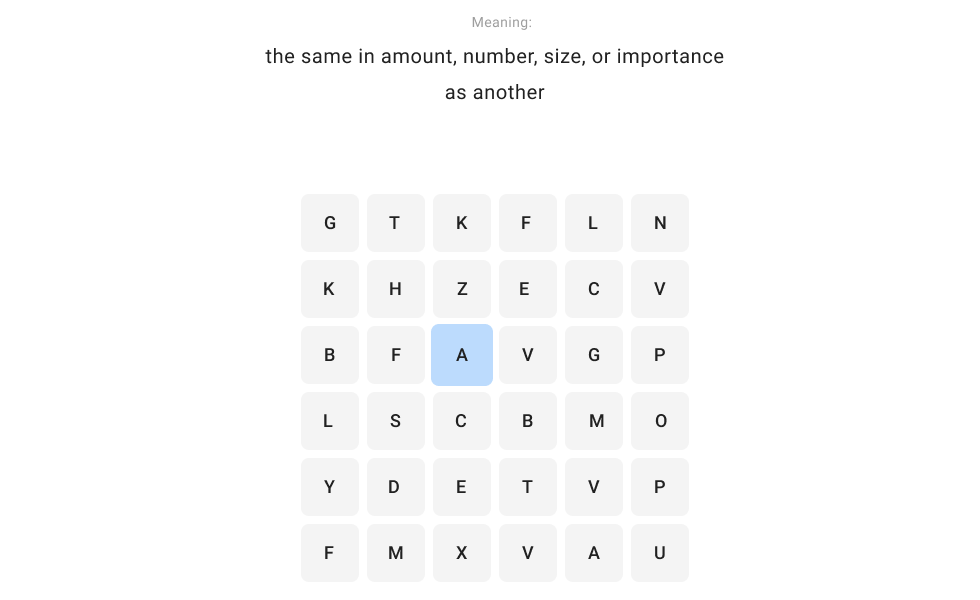
Fillword
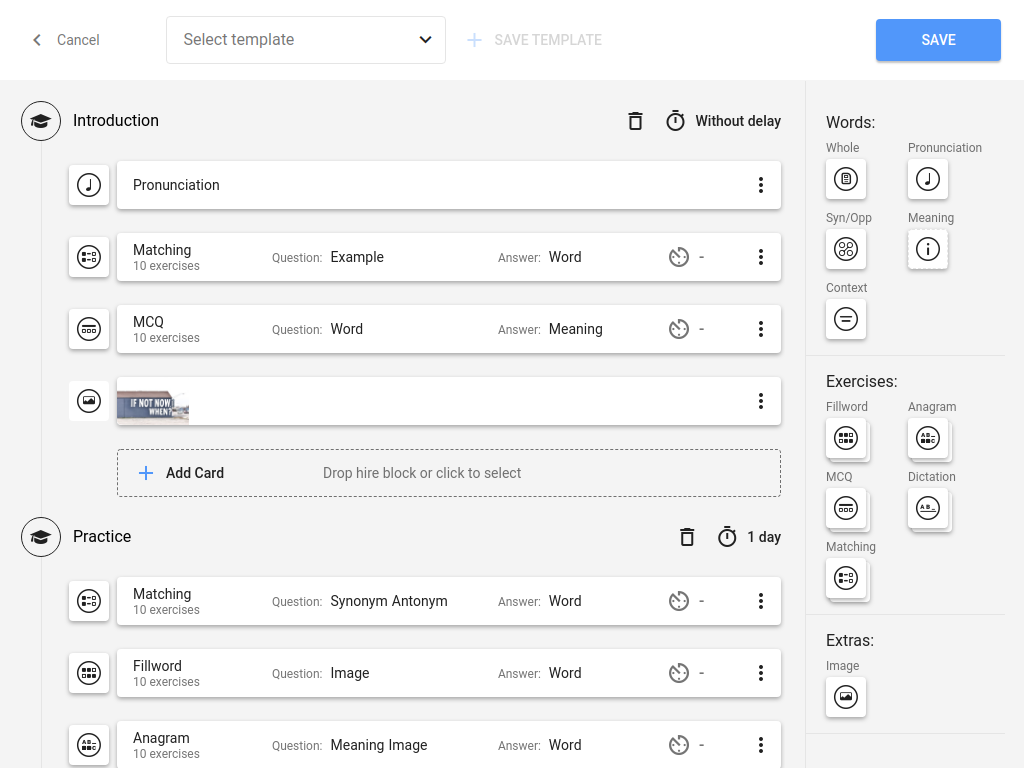
Form tasks
Form various exercises using the components of your word cards to introduce and practise
vocabulary. Place the exercises in the order you need. Break them into stages to schedule
the learning process. Save tasks templates to quickly create new ones.
Assign
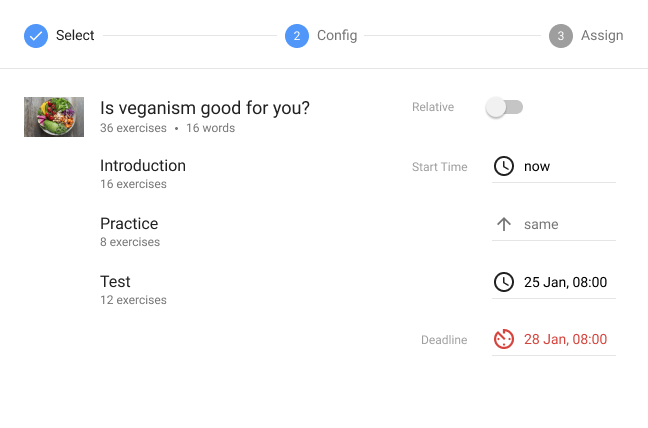
Set time limits
Enter a start date and time for a task. Schedule each stage of the task for
subsequent spaced repetitions of the material. Set a due date for the task.
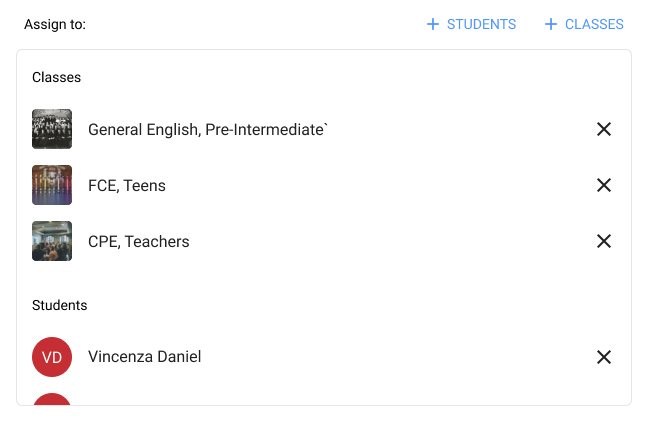
Send tasks
Select entire groups or individual students to assign the tasks.
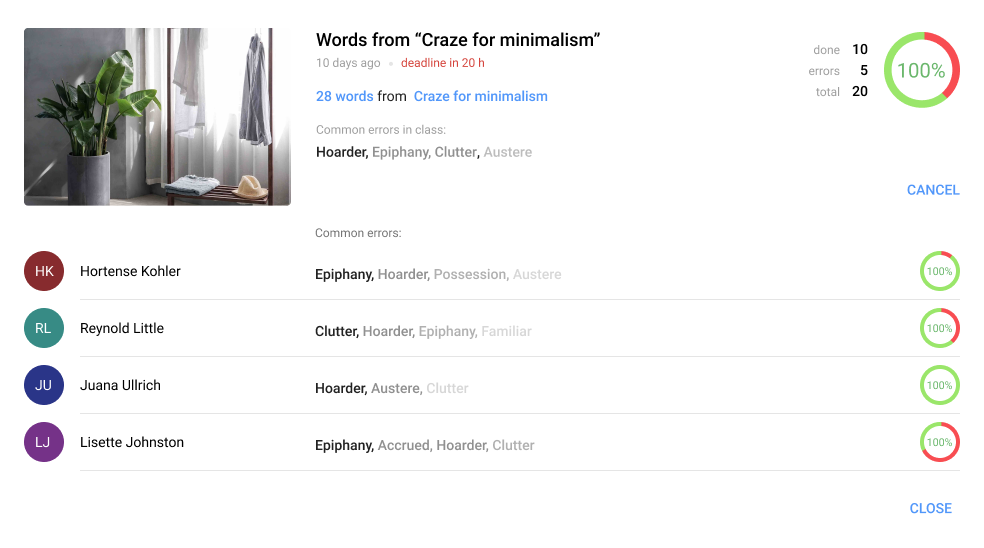
Track your students progress
Learn what exercises turned out to be challenging, what words caused difficulties.
Use the data to improve your tasks in WordsTool and plan your lessons effectively.
individual students progress
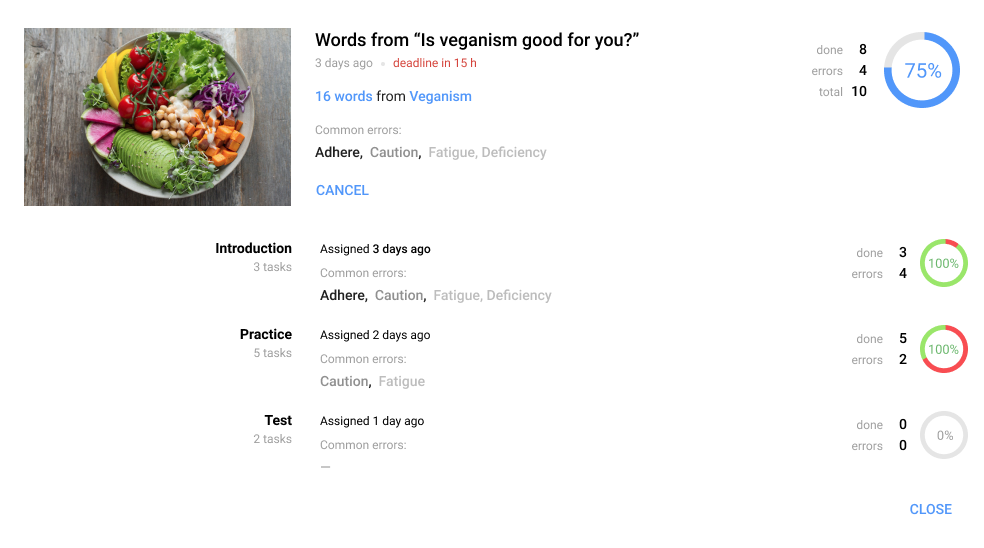
group progress
Get started with WordsTool
Students
Basic
Free
Unlimited sets
Practice
Teachers
Basic
Free
Unlimited sets
Task builder
Individual students
Task progress
Pro
Customized task editor
Groups
Task templates
Timing
Learning progress
Contact Us
Write to us
VK group
We reply in the community messages
YouTube channel
Walkthroughs, news, how-tos
support@wordstool.com
An email to the support inbox
Name
Email
Message
© 2020–2026
Fill in your word cards
Example sentences
enter your own examples
Pronunciation
use our built-in voices or
make your own voice recordings
Definition
enter definitions
Image
upload your images
Translation
enter your translations
Word
enter words or
word combinations
Synonym and Antonym
add words with similar and opposite meanings
Create sets
Create sets, add them to folders. Keep your wordlists neat and organized.
Practise
WordsTool offers 5 exercise types. All the exercises focus on practising words through
the elements you have in your cards.
Dictation
Matching
Anagram
MCQ
Fillword
Form tasks
Form various exercises using the components of your word cards to introduce and practise
vocabulary. Place the exercises in the order you need. Break them into stages to schedule
the learning process. Save tasks templates to quickly create new ones.
Assign
Set time limits
Enter a start date and time for a task. Schedule each stage of the task for
subsequent spaced repetitions of the material. Set a due date for the task.
Send tasks
Select entire groups or individual students to assign the tasks.
Track your students progress
Learn what exercises turned out to be challenging, what words caused difficulties.
Use the data to improve your tasks in WordsTool and plan your lessons effectively.
individual students progress
group progress
Get started with WordsTool
Students
Basic
Free
Unlimited sets
Practice
Teachers
Basic
Free
Unlimited sets
Task builder
Individual students
Task progress
Pro
Customized task editor
Groups
Task templates
Timing
Learning progress
Contact Us
Write to us
VK group
We reply in the community messages
YouTube channel
Walkthroughs, news, how-tos
support@wordstool.com
An email to the support inbox
Name
Email
Message
© 2020–2026